
SQL Server database - changes from SIMPLE to FULL recovery mode after dacpac deployment
Possibly save 1 hour of your time: Our SQL Server ran out of disk space and my operations team found out that one of the database is recording huge transaction logs because the database is in FULL recovery mode in our system test environment.
What causes it? We ran the following command to pinpoint which process changes the recovery mode and at what time. Based on the date and time, we figure out that this happens at similar time as our deployment.
Sp_readerrorlog 0, 1, 'recovery'
Then you can run one of the following to determine the user and time when the recovery mode was changed. id below should be replaced with actual id from above query.
sp_who id
or
sp_who2
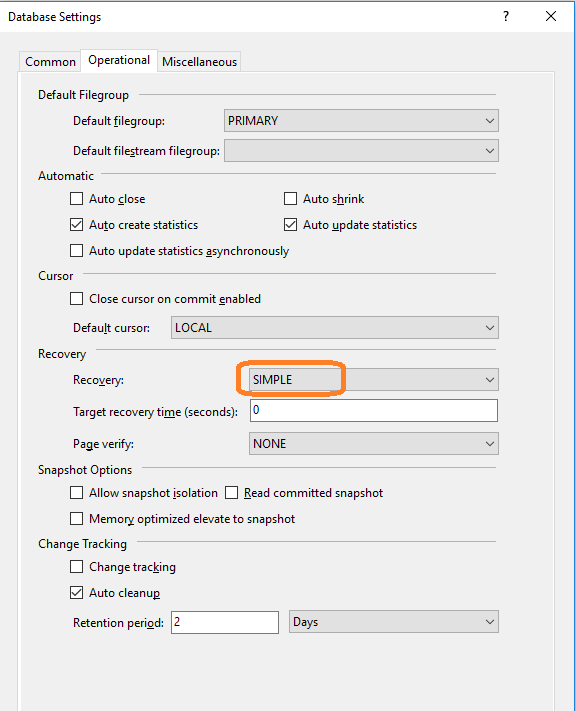
The cause of this was from a setting I was not aware of when creating the dacpac deployment file. To change this setting, right click on your database project and choose Properties. Under Project Settings, click on Database Settings. Then Operational. Change Recovery to SIMPLE or FULL as desired.
|
|
||||
| Copyright © Echofavor 2021. All Rights Reserved. | Powered by Echofavor |
